Add a page
Add a separate page with formatted content that learners open from the course.
A Page is a separate page with formatted content: text, images, links. Learners open it from the course page. Use it for explanation that is too long for the course page. For a short text on the course page itself, use a text block.
Step by step
1. Click Page in a section
Click Courses in the menu and then Manage content for the course. In the section where the page belongs, click Page.

2. Enter a name and a description
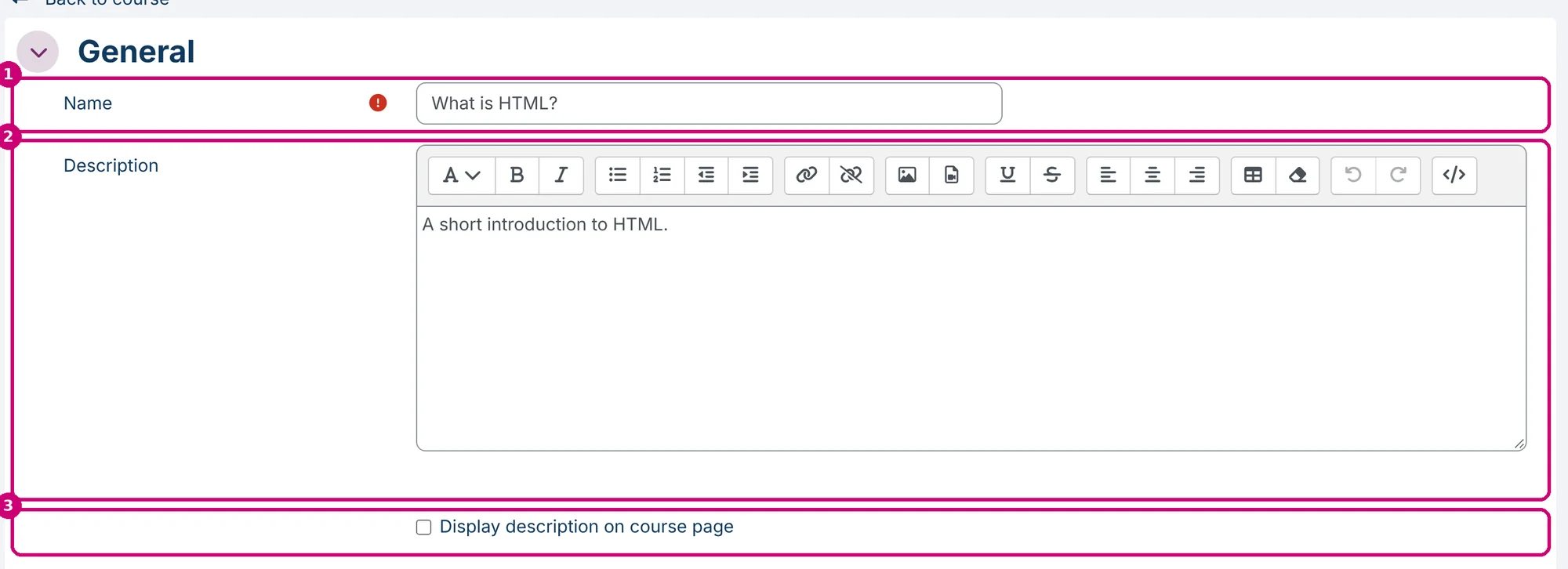
Enter a Name (1). Add a Description (2) if you like. Tick Display description on course page (3) to show it under the name on the course page.
3. Write the content
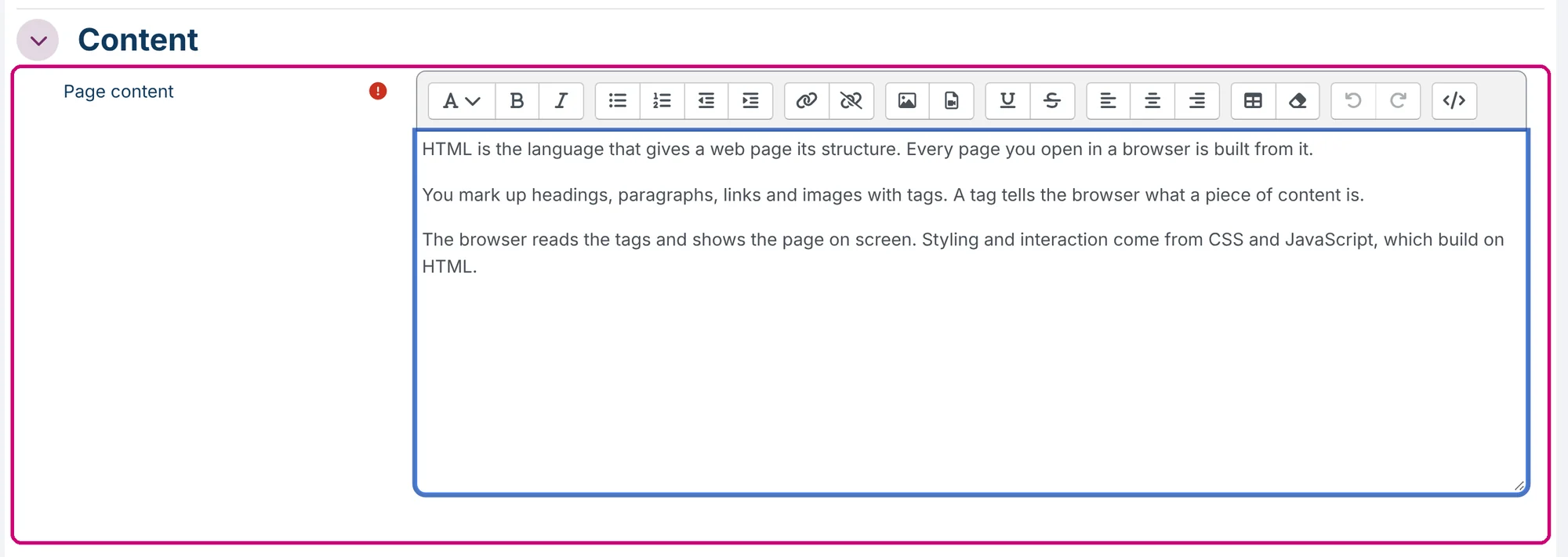
Write the content under Page content. The editor has the usual formatting buttons: headings, bold, lists, links, images and tables.
4. Check the appearance
Under Appearance you choose whether the page shows its description (Display page description, 1) and when it was last changed (Display last modified date, 2).

5. Track that learners opened the page
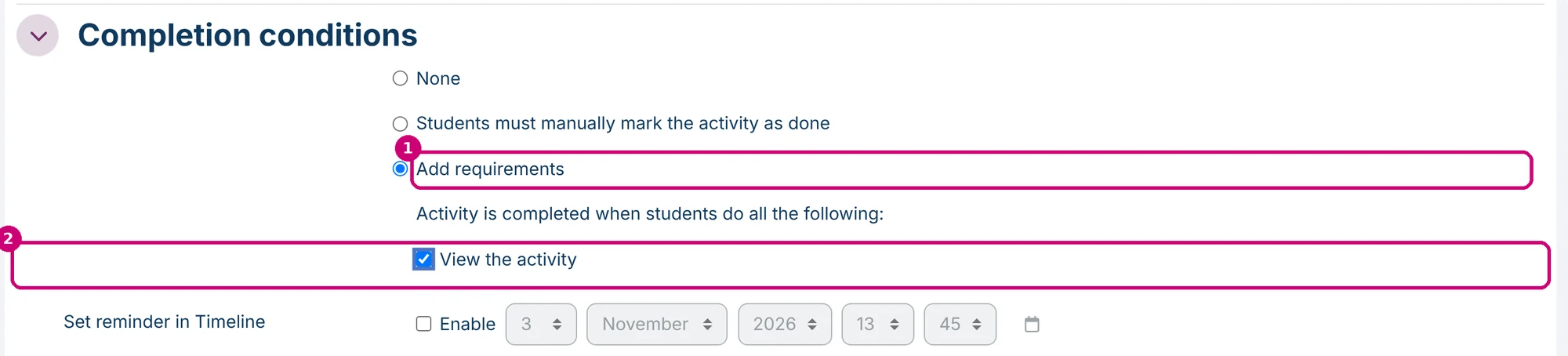
Open Completion conditions, choose Add requirements (1) and tick View the activity (2). The page then counts as complete as soon as the learner opens it. You can then use it as a condition for other content, for example: chapter 2 opens once the learner has read the page. See restrict access to sections and activities.
6. Save
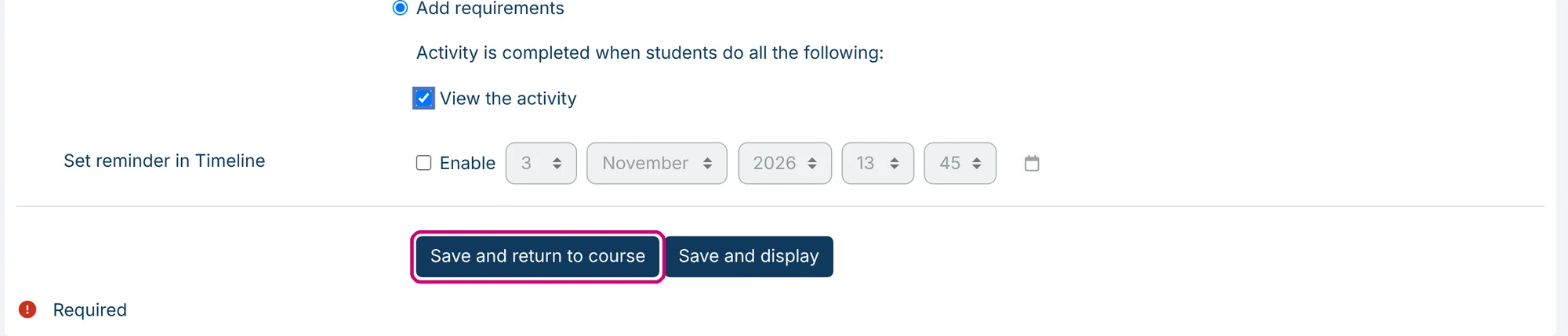
Click Save and return to course. Back to course at the top of the form leaves the form without saving.
7. Check the course
The page (1) now sits in the section with a Completion button (2), which shows the condition you set.

Next step
- Count the page towards course completion: how to set up course and activity completion.
- A document that learners open or download: add a file.
- The other types of content: getting started with course content.