Linqur WooCommerce plug-in: token and download
Find the download, the domain and the token that the Linqur WooCommerce plug-in needs.
The Linqur WooCommerce plug-in is a WordPress plug-in that connects WooCommerce to your Linqur platform. You sell your courses in your webshop, and after payment the buyer gets access to the course through the sign-up URL system. How sign-up URLs work is explained in getting started with sign-up URLs.
What the plug-in does and what it costs is on the product page Linqur WooCommerce plug-in. Our blogs How to sell courses on your own platform and Integrating WooCommerce with your existing LMS cover the bigger picture.
Where to find the details
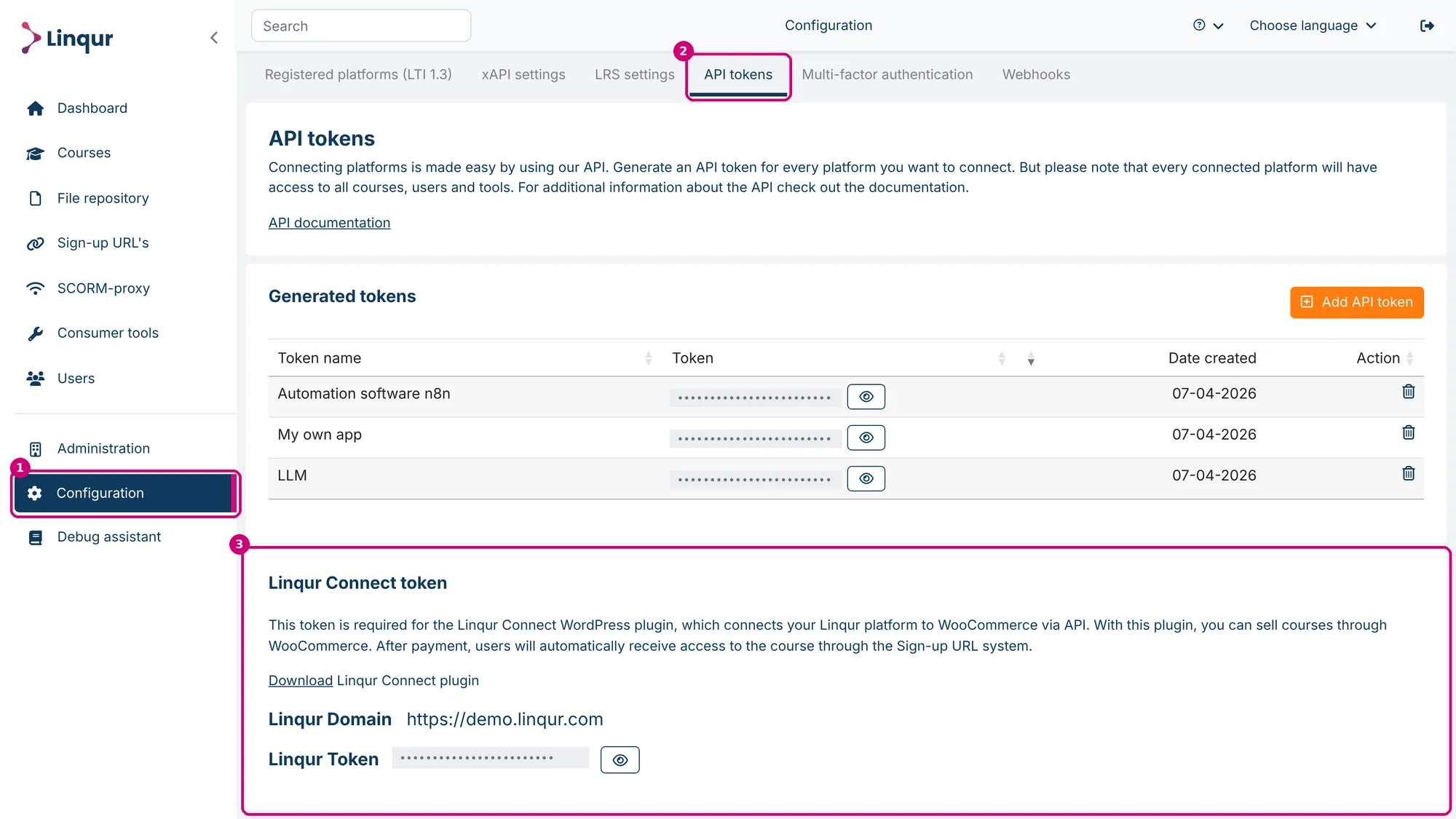
Click Configuration in the side menu (1) and then the API tokens tab (2). At the bottom of the page you find the block Linqur Connect token (3). That is the name of the plug-in block in Linqur.
What’s in the block
| Part | What it is |
|---|---|
| Download (1) | The plug-in as a zip file. You install it in WordPress. |
| Linqur Domain (2) | The address of your Linqur platform. You enter it in the plug-in. |
| Linqur Token (3) | Hidden by default. Click the eye to show it and copy it into the plug-in. |
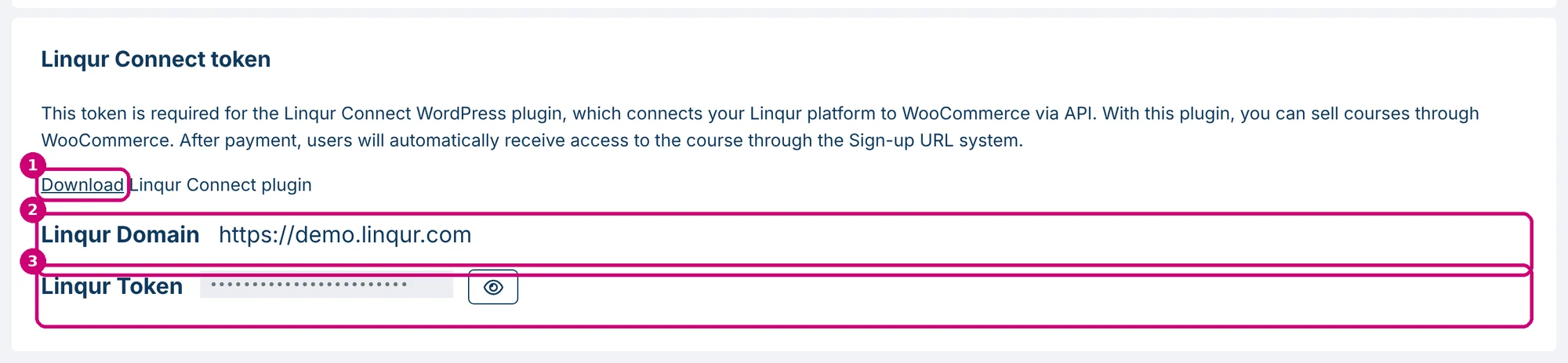
The plug-in uses the domain and the token to connect to your platform through the API.
Not the same as an API token
The Linqur Token is separate from the tokens under Generated tokens on the same page. It is already there, so you don’t need to create an API token for the plug-in. API tokens for your own integrations are explained in how to create an API key.
Next step
Install the plug-in in WordPress and link your WooCommerce products to your courses. The product page describes the plug-in. For questions about the setup, contact Linqur Support.