Send platform events to an LRS
Connect an LRS to which Linqur sends events of your whole platform.
LRS settings are an optional feature. Contact sales@linqur.com for access.
An LRS (learning record store) stores learning data as xAPI statements. Under LRS settings you connect an LRS to which Linqur records certain events of your platform.
This is not the same as xAPI settings. There you set the LRS that xAPI activities in your courses use. See set the default LRS for xAPI activities.
LRS settings apply to every course on your platform.
Where to find it
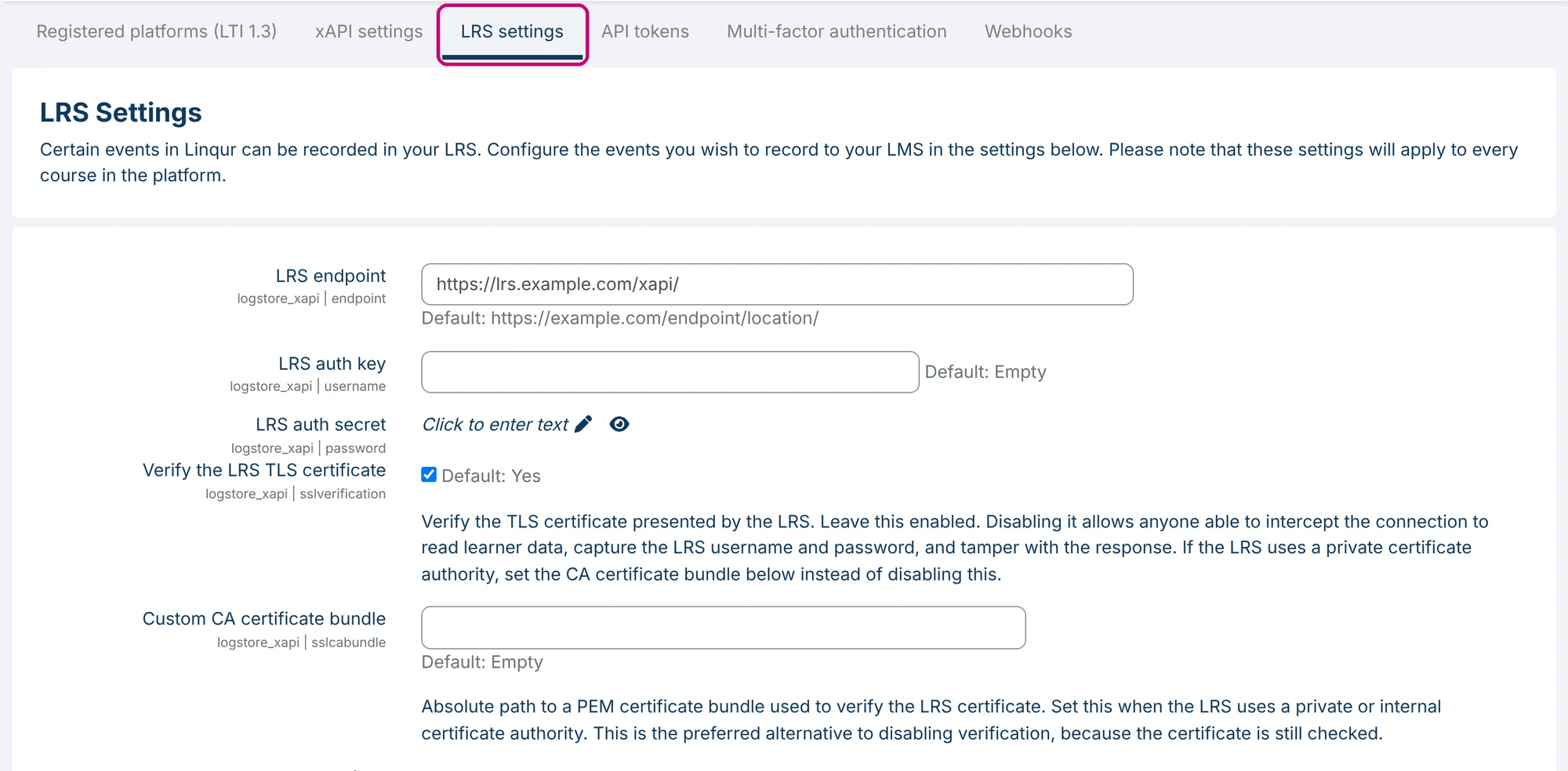
Click Configuration in the side menu and then the LRS settings tab. Next to each field the screen shows the default value.
The connection
| Field | What it does |
|---|---|
| LRS endpoint | The address of your LRS. |
| LRS auth key | The key (username) for your LRS. |
| LRS auth secret | The secret for your LRS. Click Click to enter text to enter it. |
| Verify the LRS TLS certificate | Checks the certificate of your LRS. Leave this on: without the check, anyone who can intercept the connection can read learner data. |
| Custom CA certificate bundle | Only for an LRS that uses its own certificate authority. The field asks for a path on the server, so contact Linqur Support if you need it. |
Treat the key and the secret like a password.
The actor fields
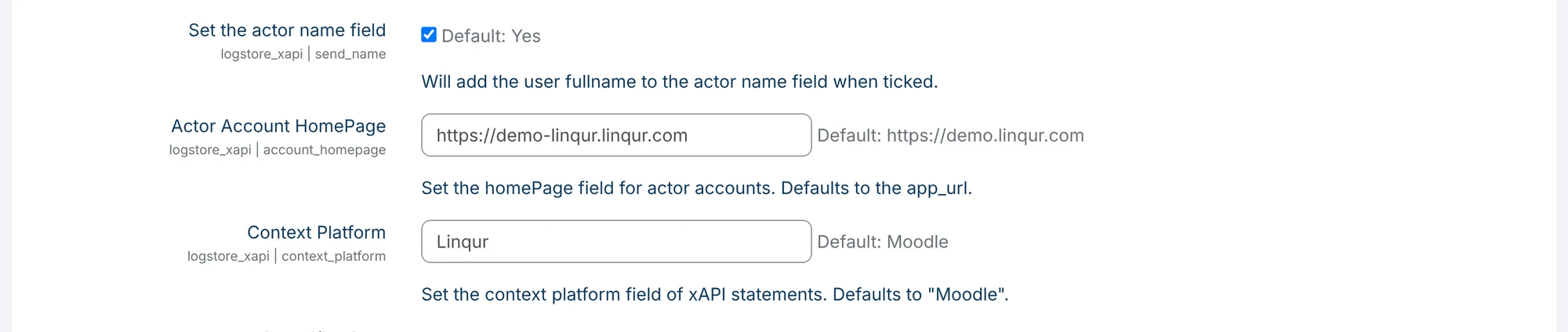
These fields determine how a user appears in the statements.
| Field | What it does |
|---|---|
| Set the actor name field | Adds the full name of the user to the actor name field. Default: on. |
| Actor Account HomePage | The homePage of the actor account. Default: the address of your platform. |
| Context Platform | The value of the context platform field in the statements, for example Linqur. |
Save
Click Save changes at the bottom of the page.
Next step
- Set the LRS for the xAPI activities in your courses: set the default LRS for xAPI activities.
- Want a message to your own system for a single event instead? Use webhooks.
Last updated on