Set the default LRS for xAPI activities
Set the LRS that the xAPI activities in your courses use by default.
An LRS (learning record store) stores the results of xAPI content. When you add an xAPI activity to a course, it uses the LRS you set under xAPI settings, unless you set a different LRS in that activity.
This is not the same as LRS settings. There, Linqur itself sends events of your whole platform to an LRS. See send platform events to an LRS.
Where to find it
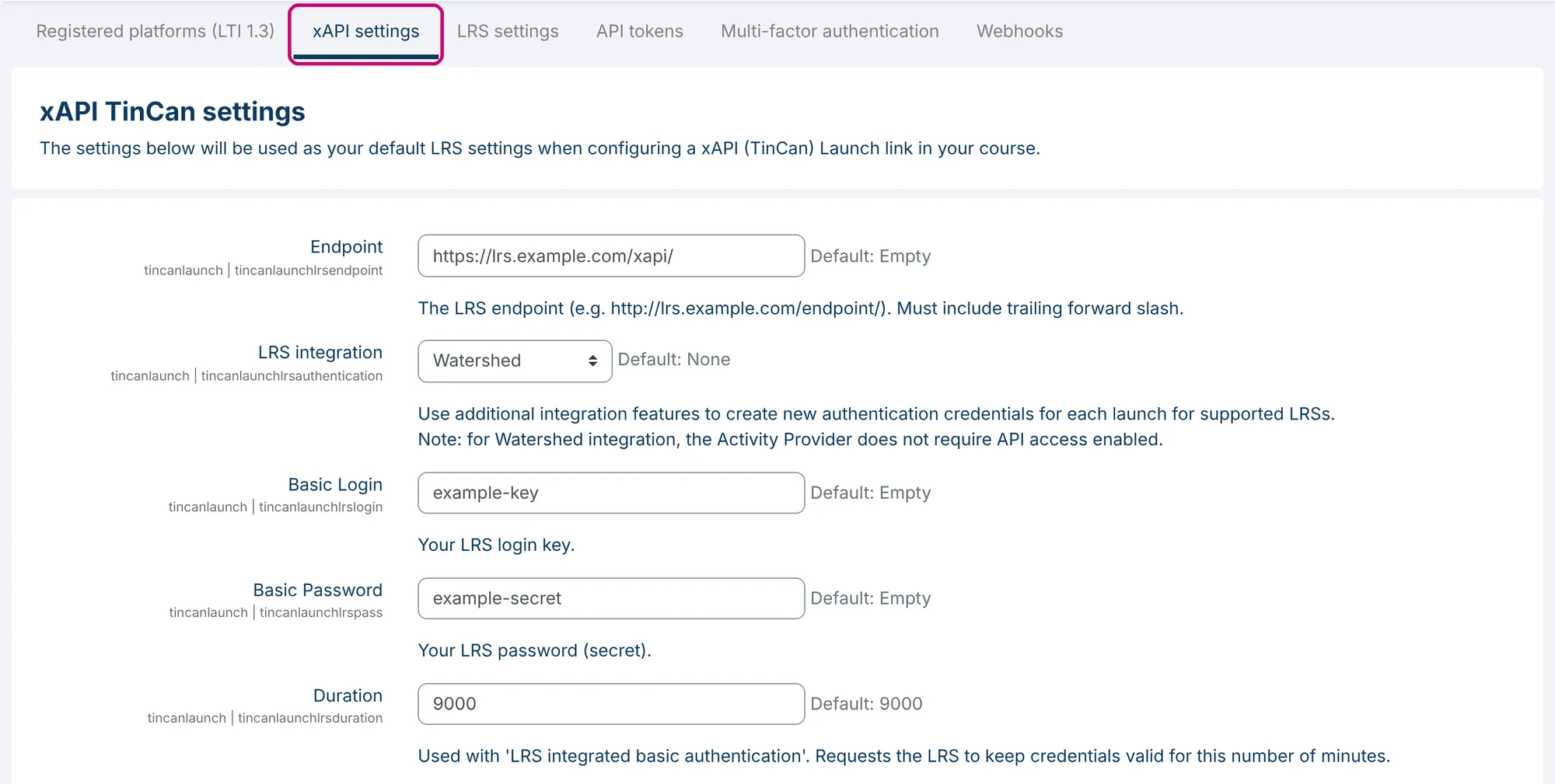
Click Configuration in the side menu and then the xAPI settings tab. Next to each field the screen shows the default value.
The fields
| Field | What it does |
|---|---|
| Endpoint | The address of your LRS, for example https://lrs.example.com/endpoint/. It must end with a slash. |
| LRS integration | None, Watershed or Learning Locker 1. With a supported LRS, new login details are created for each launch. |
| Basic Login | Your LRS login key. |
| Basic Password | Your LRS password (secret). |
| Duration | Only used with an LRS integration: the number of minutes the LRS keeps the login details valid. Default: 9000. |
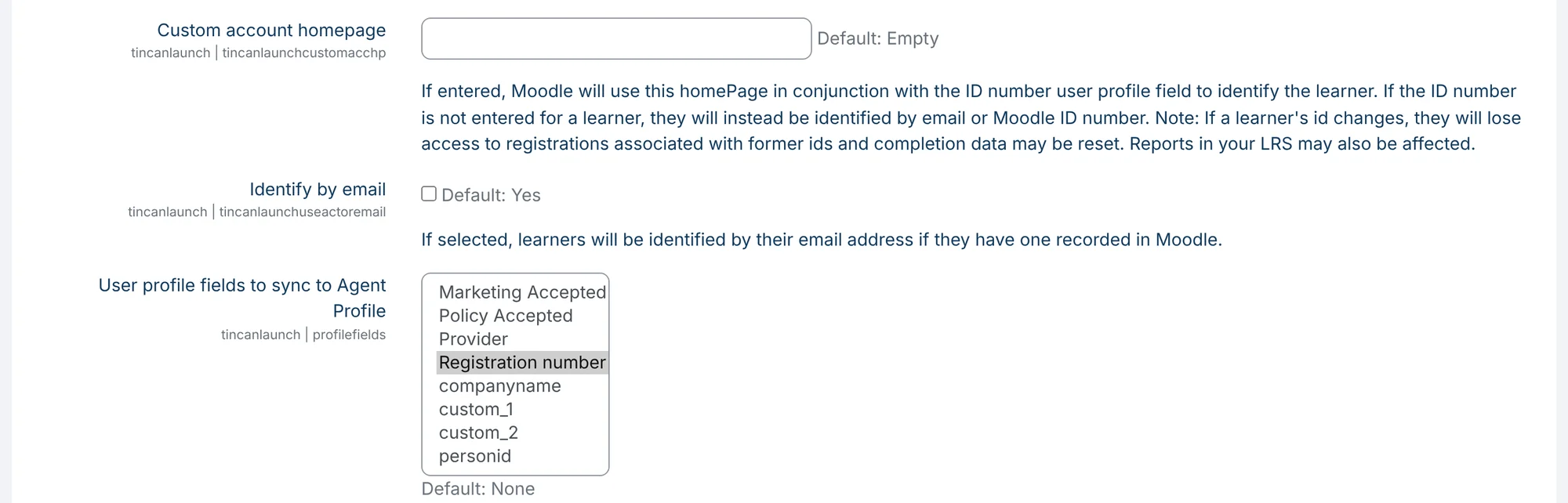
| Custom account homepage | Optional. Used together with the ID number in the user profile to identify the learner. |
| Identify by email | Identifies learners by their email address, if they have one. Default: on. |
| User profile fields to sync to Agent Profile | The profile fields you select here are sent to the LRS, in the agent profile of the learner. The list shows the profile fields of your platform. |
Treat Basic Password like a password. This field shows the password as plain text, so keep this page out of screenshots.
Save
Click Save changes at the bottom of the page.
One activity with a different LRS
In an xAPI activity you can override these defaults, for example to send one activity to a different LRS. How that works is explained in add an xAPI activity.
Next step
- Send events of your whole platform to an LRS: send platform events to an LRS.
- Start an automation when an xAPI activity is completed: set up webhooks, with the event TinCan Activity Completed.