View results with SCORM Analytics
See how the learners who use your SCORM wrappers are doing.
SCORM Analytics shows the results of learners who start your content through a SCORM wrapper. Open it through SCORM-proxy in the menu, tab SCORM Analytics. The page says: “View learner results and CMI data from distributed SCORM wrappers”.
Filters and tiles
At the top right are two filters:
- Course filter (1): narrows the results down to one course.
- Wrapper filter (2): narrows the results down to one wrapper. The list shows each wrapper with its name and ID.
Below them are four tiles (3): Total Learners, Completion Rate (with the number completed), Pass rate (with the number passed) and Average score (“From completed attempts”).
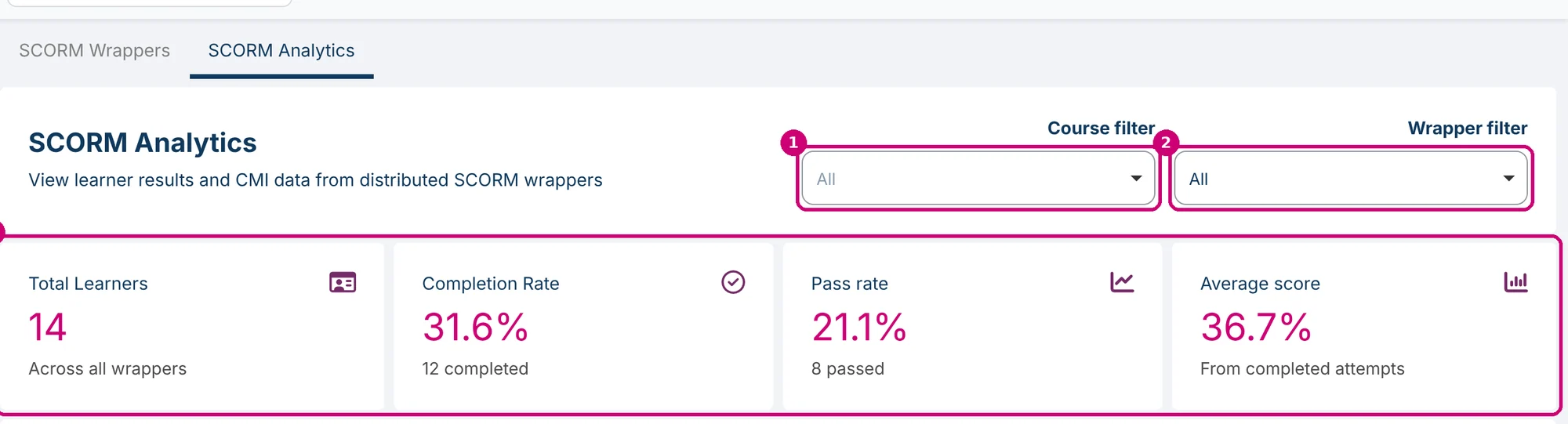
Completion Rate and Pass rate are calculated over the registrations in the results table, not over Total Learners. In this example, 12 of the 38 registrations are completed, which gives 31.6%.
Charts
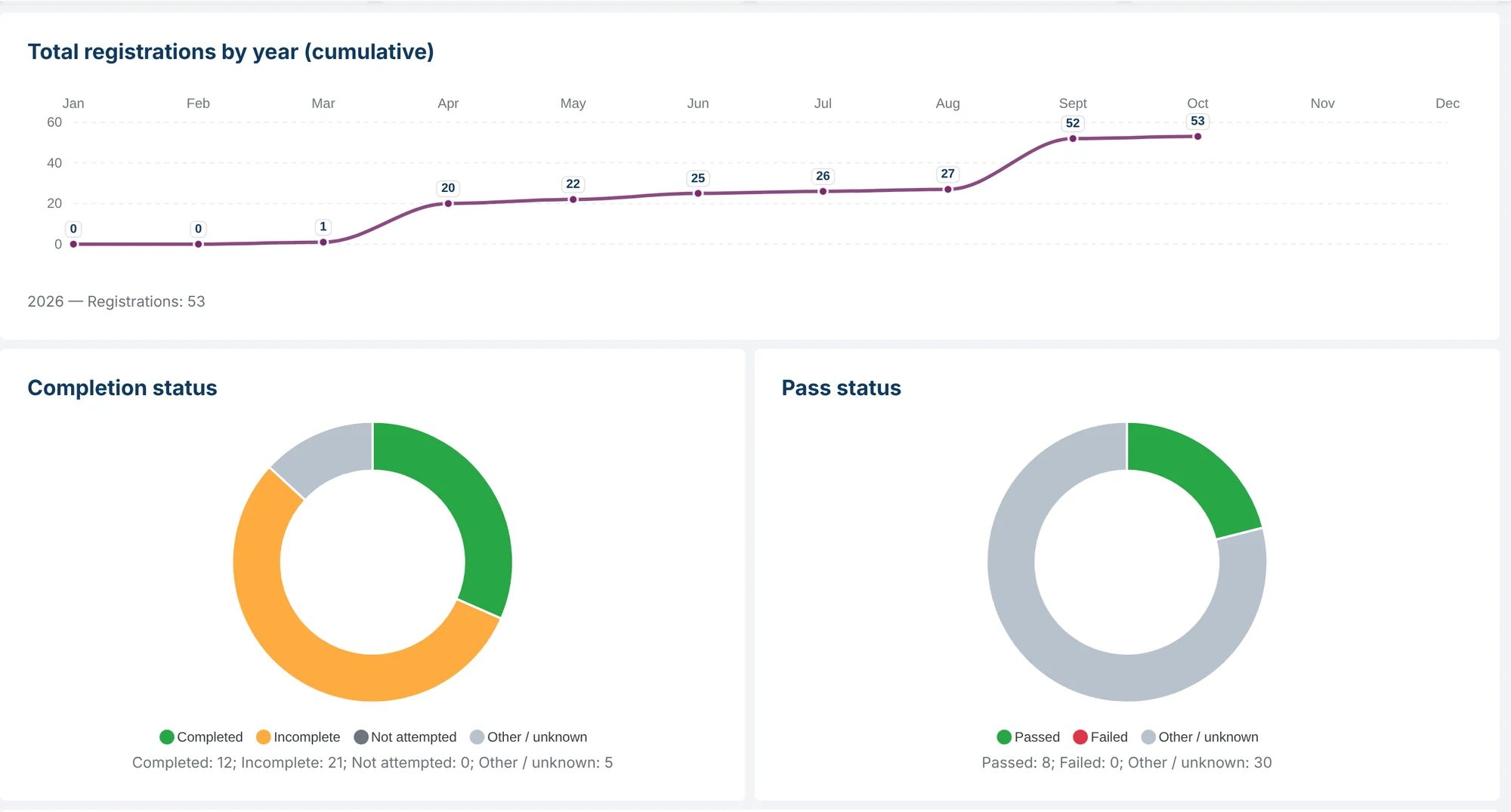
- Total registrations by year (cumulative): the registrations per month, added up over the year.
- Completion status: Completed, Incomplete, Not attempted and Other / unknown.
- Pass status: Passed, Failed and Other / unknown.
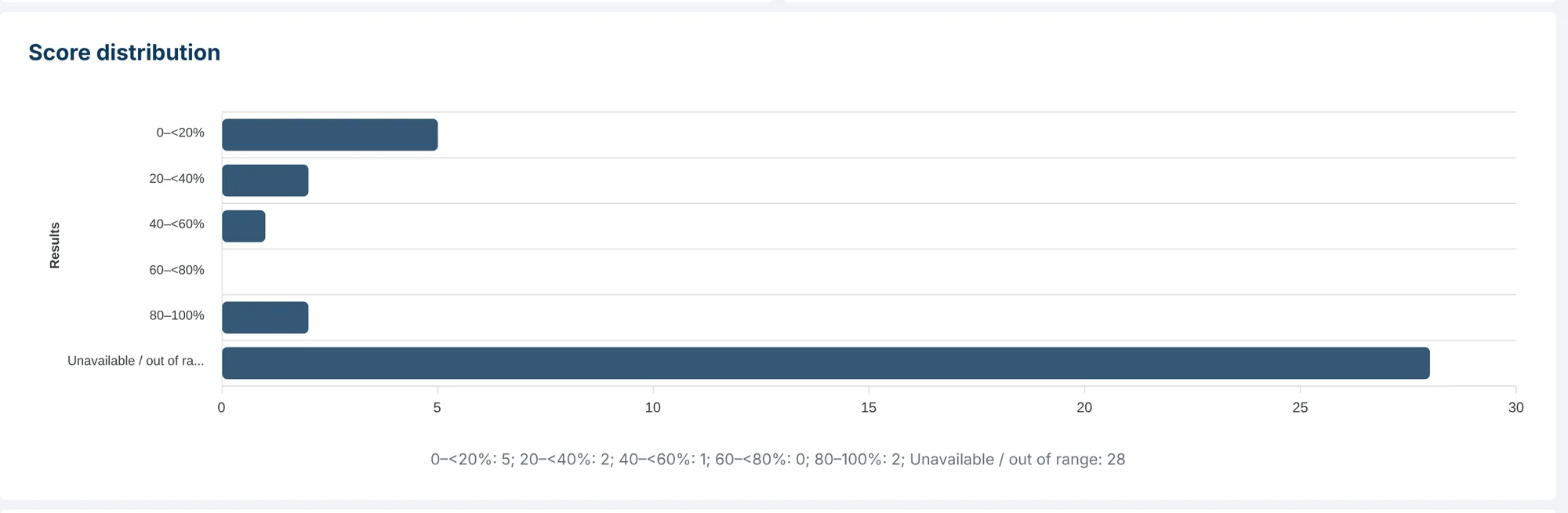
- Score distribution: the number of results per score band of 20 percent, from 0 up to 100 percent. Registrations without a score, shown as a dash in the table, are counted under Unavailable / out of range.
Results for one wrapper
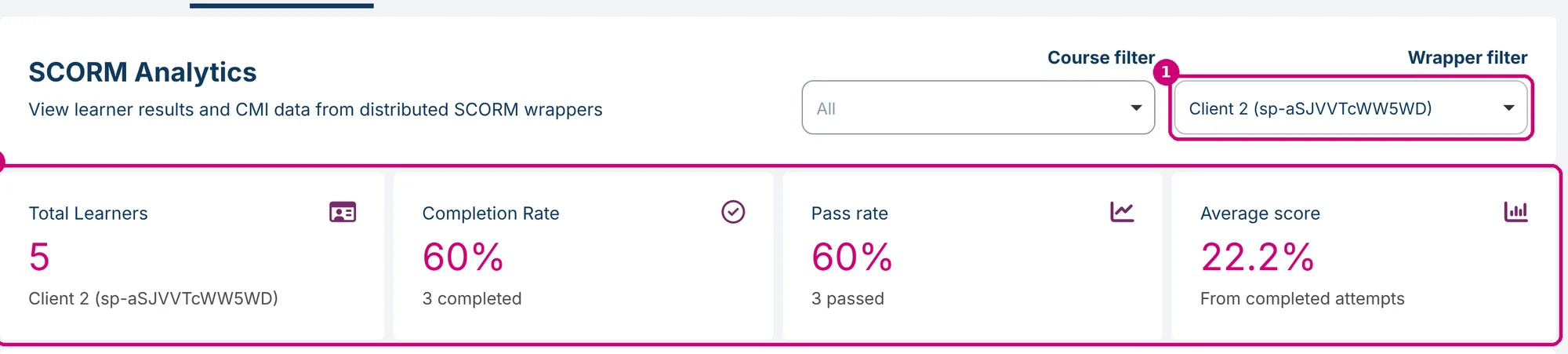
When you choose a wrapper under Wrapper filter (1), the tiles and charts (2) show only that wrapper. The text under Total Learners then shows the name and ID of the wrapper.
The results table
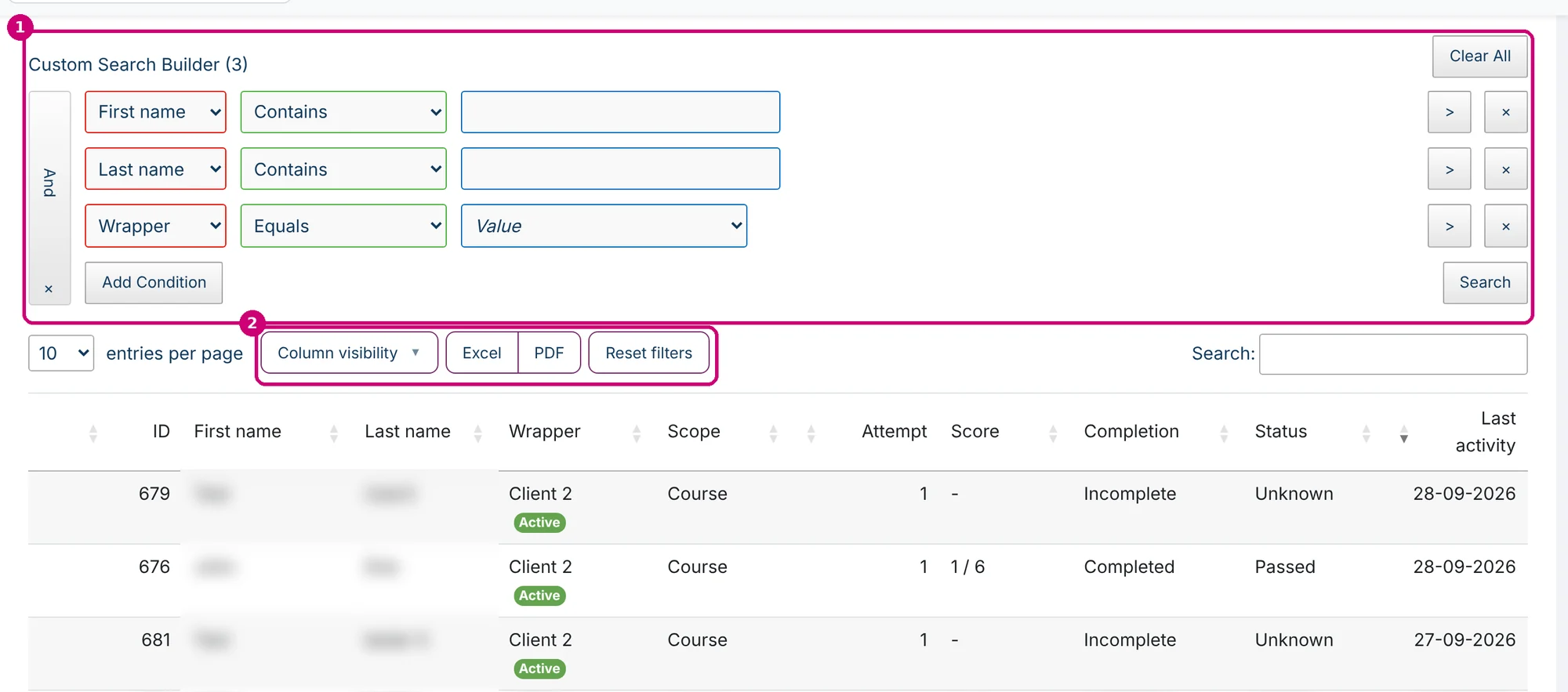
Below the charts is a table with one row per registration. The columns are ID, First name, Last name, Wrapper (with its status), Scope (Course or Activity), Attempt, Score, Completion, Status and Last activity. Score shows the score achieved and the maximum, for example “1 / 6”, or a dash when there is no score. The newest activity is at the top.
- Custom Search Builder (1): already has conditions for first name, last name and wrapper.
- Column visibility, Excel and PDF (2): choose the columns and export the table. Reset filters clears the filters of the table.
Anonymised learners
If Anonymise users is set to Yes for a wrapper, SCORM Analytics shows the learners of that wrapper as Anonymous (first name) User (last name), with only an ID, instead of their name. You set this option when you create the wrapper or later with the pencil in manage SCORM wrappers.
See also
- View results with Sign-up URL Analytics works the same way for sign-up URLs.
- Manage SCORM wrappers
- Getting started with SCORM wrappers