.jpeg)
A learner purchases a course, receives a confirmation email, and then hits a login screen they cannot get past because they have no account, no password, and no idea which LMS their training provider is using. For training providers selling directly to individuals or organisations without a shared LMS environment, this friction is a real and recurring problem. It creates support tickets, abandoned enrolments, and a poor first impression of your content before a single module has been opened.
Magic Link Login addresses this directly by removing the need for passwords and LMS accounts altogether. Instead of asking learners to authenticate through a platform they may not have access to, you send them a single, secure link that grants immediate access to their course. No account creation, no password reset flows, no IT involvement required on the learner's side.
This approach is particularly useful when you are distributing training to external audiences, customers, or partner organisations, where setting up LMS accounts for every individual is neither practical nor scalable. The sections below explain exactly how Magic Link Login works, when to use it, and how it fits into a broader e-learning delivery setup.
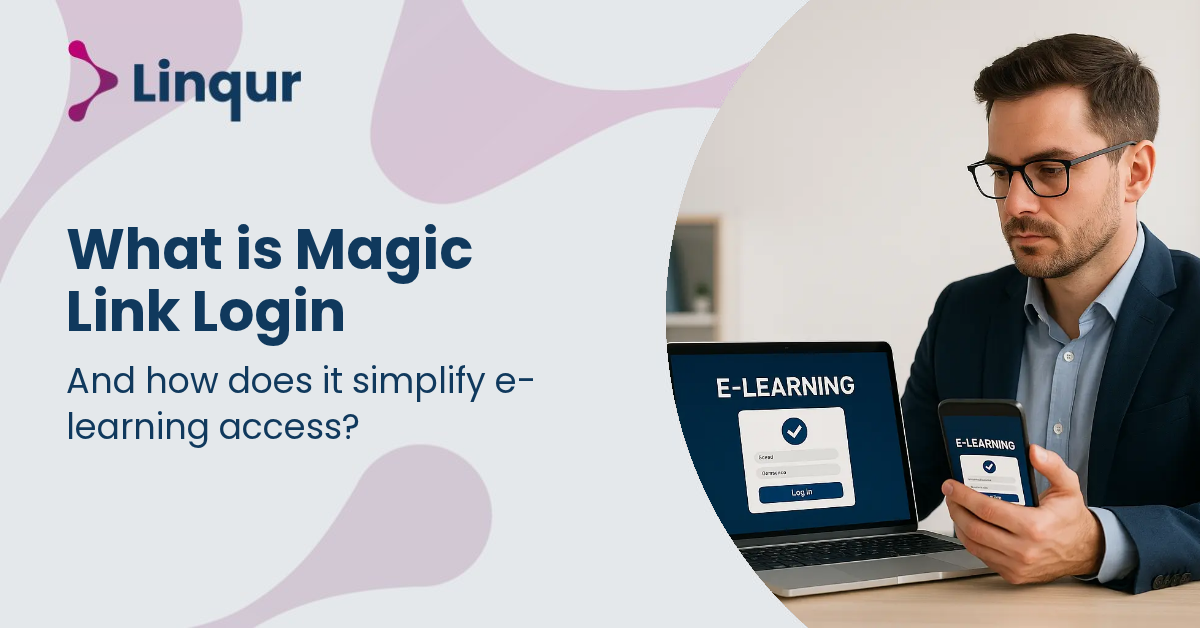
Magic link login in e-learning is a passwordless access method in which a learner receives a unique login link by email, and that link functions as the authentication token. Instead of creating a username, setting a password, resetting forgotten credentials, and navigating an LMS login page, the learner opens the message and goes straight to the correct training environment. This model is already familiar in learning platforms such as Moodle’s Magic authentication approach, and in practice it removes several points of friction from the first minutes of the learning journey.
In e-learning operations, that friction matters because access problems often appear before learning even begins. A user may not know which portal to use, may not have an account yet, or may be external to your organisation. That is where a magic link model becomes especially useful. Linqur’s own Magic Link Login is designed for situations where no LMS account, and in some cases no LMS at all, should stand between a learner and a course. For training providers selling directly to customers, or organisations onboarding partners, contractors, or temporary staff, this changes access from an identity management project into a controlled delivery process.
For many providers, the access layer creates more support work than the content itself. Password resets, inactive accounts, duplicate learner profiles, and portal confusion all increase administration and reduce completion rates. As discussed in Linqur’s article on passwordless login for e-learning, reducing login friction is not only a usability improvement, it also improves the reliability of course delivery.
This is particularly relevant when your audience sits outside your own system boundaries. If you train customers, franchisees, suppliers, or job candidates, you may not want to provision every user manually in an LMS. You may also not want to expose your internal learning platform to a wider external audience. A magic link approach gives you a middle route: the learner gets authenticated access to the right course, while you keep control over who receives that access and when.
Passwordless access is not just about convenience. In many e-learning environments, it is a way to reduce support dependency and make course delivery more predictable for external audiences.
Magic link login is not a replacement for every authentication pattern. If your organisation already has mature single sign-on, role mapping, and internal directory management, passwordless links may be best used for external learners or exception flows. But when your delivery model includes mixed audiences, it can sit alongside standards such as LTI and SCORM rather than competing with them.
That distinction matters. LTI and SCORM mainly solve content launch and interoperability problems. Magic links solve the access problem before launch. In a modern e-learning stack, you may use an LTI connection for customers with their own LMS, and a passwordless flow for customers without one. Linqur’s platform supports this kind of split operating model. Its LTI Provider Service publishes learning centrally into external LMS environments, while Magic Link Login covers direct access scenarios where learners should enter without local LMS credentials. If you are comparing those delivery routes, Linqur’s guide to automating course access with LTI and Magic Link shows how they can work together instead of forcing a single distribution method on every customer.
In these cases, the goal is not just easier login. The goal is predictable access with less manual intervention from your team.
From an operational perspective, magic links reduce dependency on account lifecycle management. You do not need to spend as much effort on creating passwords, handling reset emails, or explaining login instructions to first-time users. The learner receives a context-specific entry point, and your support team handles fewer preventable tickets.
This becomes even more effective when access is triggered automatically from other systems. Linqur describes this in its article on automatic LMS login from CRM or HR systems, where a learner can move from systems such as Workday, SAP, or AFAS into training without the usual handoff problems. If your enrolment starts in a CRM, webshop, HR platform, or workflow tool, a magic link can act as the final mile of the process.
Combined with API-based automation, it turns access into an event-driven workflow rather than a manual admin task, a pattern also explored in automating e-learning with Linqur and n8n. That means course access can be generated when a purchase is completed, when a contract is signed, when an employee reaches a start date, or when a learner is assigned to a cohort. Instead of relying on someone to create accounts and send instructions, the process can happen automatically and consistently.
To implement magic link login well, you need to think beyond convenience. Link expiry, single-use behaviour, email deliverability, and learner identity matching all affect security and user experience. If links expire too quickly, users get locked out. If they remain valid too long, risk increases. You also need a clear policy for what happens when a learner forwards an email or uses multiple devices.
You should also map the access flow to your delivery model. Before rollout, it helps to define a few practical questions:
If your course catalogue includes both LMS-based and non-LMS customers, design for both from the start. Some providers route enterprise clients through LTI and smaller customers through direct passwordless access. Others use magic links as a fallback when LMS integration is not available yet. The important point is that access should match your commercial and technical model, not force learners into a system they do not need.
It is also worth considering the learner experience around the email itself. The message should clearly explain what the learner is accessing, who sent the invitation, and what to do if the link no longer works. Good communication reduces uncertainty and lowers the chance that learners ignore the message or contact support unnecessarily. In practice, the quality of the invitation email can influence adoption almost as much as the login mechanism behind it.
When you look at magic link login in infrastructure terms, it is best understood as a simplification layer. It removes avoidable authentication friction, especially for external users, while preserving controlled access to learning content. For training providers and platform operators, that means fewer blocked learners, fewer support tickets, and a cleaner path from enrolment to course launch.
In e-learning, that kind of simplification often has a bigger impact than adding another feature, because if learners cannot get in easily, the rest of your stack never gets the chance to work. A well-designed magic link flow helps providers deliver training faster, with less administration, and with a better experience for people who may only need access once or for a limited period. For organisations serving mixed audiences across LMS, non-LMS, and automated enrolment channels, it offers a practical way to make access easier without giving up control.
Start by mapping which learner groups should use magic links and which should stay on your existing LMS or SSO flow. This helps you match access methods to real user needs instead of forcing every audience through the same login experience.
If you review your current access journey against these points, you can reduce support overhead and give learners a smoother path into training.
Joris Even is our founder and the brains behind our products, with 15 years in e-learning. He loves the outdoors and lives to enjoy every moment. Joris’s easy-going approach and deep industry knowledge make our work both fun and impactful.
With our LTI Provider Service, you can integrate your content into any LMS. Fast, simple, and hassle-free. Get the brochure and find out how!
With SCORM Proxy, you can play SCORM courses in any LMS without worrying about updates or hosting. Sounds good? Request the brochure!
Our LTI Converter transforms SCORM into LTI, making your content work in any LMS. Want to know how? Download the brochure and find out for yourself!
With Magic Link Login, your users log in securely with just one click – no passwords, no hassle. Discover how in the brochure!
With the Linqur API, you can seamlessly connect e-learning systems and automate everything. Download the brochure and discover the benefits.