.jpeg)
If you license SCORM content to multiple customers, you have probably hit the same wall. Every new client means another LMS, another upload, another version of your course living somewhere you no longer control. Six months later you have nine copies of the same course, three of them outdated, and a support ticket asking why one client's certificate has the wrong logo.
LTI solves this by inverting the model. Instead of shipping the SCORM package into every customer LMS, you host the course once on your own platform and let each LMS launch it through a standard connection. The learner never leaves their LMS. You never give up control of the content. This is what Learning Tools Interoperability was designed for, and it is the same model used by the Linqur LTI Provider Service.
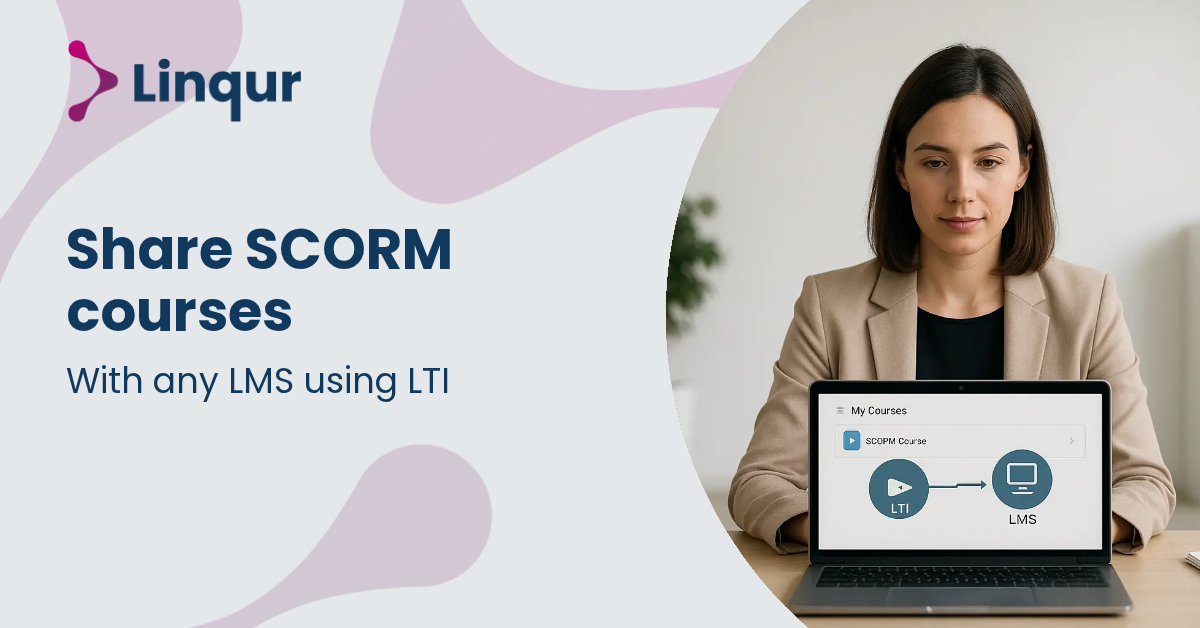
LTI defines a contract between two systems. The customer LMS plays the role of "platform" or "tool consumer". Your hosting environment plays the role of "tool" or "tool provider". When a learner clicks the course link inside their LMS, the LMS sends a signed launch message to your platform with the learner's identity, role, and course context. Your platform validates the message, opens the SCORM content, and runs it inside the LMS frame.
From the learner's perspective, the course is just there, inside their LMS, alongside everything else. From your perspective, every launch hits the same hosted source. Updates propagate the moment you publish them.
LTI 1.1 is the legacy launch model. It uses OAuth 1.0a and shared secrets. Older LMS platforms still depend on it, so dropping support is rarely an option for content vendors serving mixed customer bases.
LTI 1.3 is the current standard. It uses OAuth 2.0, OpenID Connect, and JSON Web Tokens. The security model is stronger and the framework supports a richer set of services.
LTI Advantage is the layer of services on top of LTI 1.3:
For a deeper comparison of the two versions, see LTI 1.1 vs LTI 1.3.
The setup follows five steps.
Finally, test against each target LMS. Even when two systems claim the same LTI version, gradebook behavior, role mapping, and launch presentation often differ. We covered the practical side of this in LTI integration challenges in real projects.
If your customer LMS supports LTI 1.3 with Advantage services, LTI is the better choice for almost every distribution scenario. You keep the content. You control the updates. You get completion data back without asking the customer to export anything.
There are cases where shipping a SCORM package or using SCORM dispatch still makes sense. Some legacy LMS platforms only accept SCORM imports. Some customers have IT policies that block external launches. Some procurement processes are easier with a file than with an integration. For those cases, SCORM Proxy covers the same operational pattern through a SCORM wrapper instead of an LTI launch.
In practice, content vendors usually need both standards available. The Linqur LTI Provider Service supports LTI 1.1, LTI 1.3, and SCORM-based delivery from the same hosted source. You publish once and let each customer connect through the standard their LMS supports.
Does the learner see the LMS or your platform? They see their LMS. The course renders inside the LMS frame, with the LMS navigation around it. The hosted source is invisible to them.
What happens to existing SCORM packages already uploaded by customers? You can leave them in place during the transition, or replace them with an LTI launch link that points to the centrally hosted version. Either way, future updates flow only through your platform.
Can the customer still report on completions inside their LMS? Yes, if AGS is enabled. Scores and pass-fail status return to the LMS gradebook in real time.
LTI lets you share SCORM content with any LMS that supports the standard, without giving up control of the content itself. You host once, publish through LTI 1.1 or LTI 1.3, and let each customer LMS launch directly from your platform. Updates, licensing, access, and reporting all stay on your side. The model removes the duplication and version drift that come with handing over SCORM packages, and replaces them with a single managed source connected to many launch points.
If you want to see whether LTI distribution fits your stack, the fastest path is to wrap one existing SCORM course as an LTI tool and test the launch against one of your customer LMS environments. We can have a working configuration ready in under an hour.
Book a 30 minute LTI walkthrough, or read the setup documentation to start in self-service mode.
Joris Even is our founder and the brains behind our products, with 15 years in e-learning. He loves the outdoors and lives to enjoy every moment. Joris’s easy-going approach and deep industry knowledge make our work both fun and impactful.
With our LTI Provider Service, you can integrate your content into any LMS. Fast, simple, and hassle-free. Get the brochure and find out how!
With SCORM Proxy, you can play SCORM courses in any LMS without worrying about updates or hosting. Sounds good? Request the brochure!
Our LTI Converter transforms SCORM into LTI, making your content work in any LMS. Want to know how? Download the brochure and find out for yourself!
With Magic Link Login, your users log in securely with just one click – no passwords, no hassle. Discover how in the brochure!
With the Linqur API, you can seamlessly connect e-learning systems and automate everything. Download the brochure and discover the benefits.