.jpeg)
Selling e-learning courses through WooCommerce sounds straightforward until you hit the gap between payment confirmation and actual course access. A learner completes checkout, the order processes successfully, and then nothing happens on the learning side. No enrolment, no redirect, no content. That disconnect is one of the most common friction points training providers run into when building a course sales workflow on WordPress, and it usually comes down to how the LMS, the content, and WooCommerce are connected at a technical level.
If you are a training provider, course vendor, or L&D team managing your own platform, getting this integration right has a direct impact on learner experience, support overhead, and your ability to scale. The decisions you make about content delivery, whether you are hosting SCORM packages, linking out via LTI, or using API-based enrolment, will shape how much manual work sits behind every sale.
Linqur's own guide on how to sell courses on WooCommerce covers the delivery side in detail, and this article builds on that foundation by walking you through the full integration process step by step.
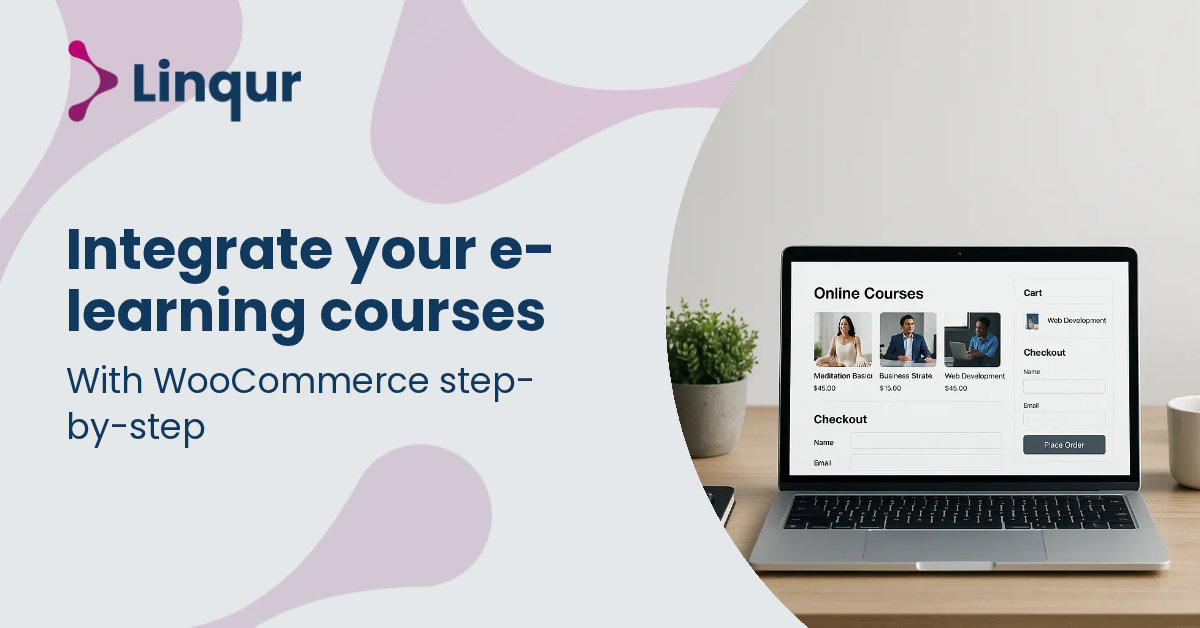
A good WooCommerce e-learning integration starts with one decision: where your course will actually run after payment. WooCommerce is strong at selling, taking payments, applying coupons, and managing customer accounts. It is not, by itself, a complete e-learning delivery standard. That distinction matters because many teams first connect checkout and access, then discover that launch, tracking, updates, and LMS compatibility are separate problems.
If you sell courses built in authoring tools such as Rise or Storyline, the discussion in the Articulate community reflects a common reality: authoring tools create content, but they do not replace an LMS or delivery layer. In practice, you usually choose one of three routes:
The right route depends on who your learners are and where they expect to study. If you sell directly to individuals on your own site, a WordPress LMS setup may be enough. If you sell to companies, resellers, or institutions with their own LMS, SCORM, LTI, or API-based delivery often becomes more practical.
Map the full flow before you configure plugins. What happens after payment, account creation, enrolment, launch, completion, and support? If your checkout is smooth but learners still receive manual emails or separate passwords, the integration is only partial. This is why many providers prioritise automated course access early in the process.
For a simple B2C flow, the journey may be product purchase, payment confirmation, account creation, and immediate access from the WooCommerce account area. For B2B, the journey often includes group purchases, seat assignment, customer-specific portals, or access from a client LMS. Writing this flow down before implementation helps you spot where manual work, duplicate logins, or reporting gaps are likely to appear.
Treat WooCommerce as the commerce layer, not the whole learning platform. This approach gives you more flexibility when you add new LMS connections later. As eLearning Industry notes, WooCommerce works well for monetising courses and supporting multiple payment methods, but the learning experience depends on what sits behind it.
This separation matters when you need to distribute the same course in more than one format. For example, a course you sell on your own WordPress site today may later need to be delivered into a customer LMS. Planning for that now avoids rebuilding the entire setup later. A useful reference point is Linqur’s guide to content distribution with LTI, SCORM, or API.
It also makes maintenance easier. Your storefront can stay stable while the delivery layer evolves. That means you can change how courses launch, how progress is tracked, or how enterprise customers are provisioned without redesigning your checkout and product catalogue every time.
If your platform already uses a WordPress LMS plugin, WooCommerce can handle the storefront and enrolment trigger. That works well when learners stay inside your own environment. But if your content is exported as SCORM, you need a player or platform that can launch the package and return progress data properly. If your buyers want to access the course from Moodle, Canvas, Brightspace, or another LMS, LTI is often the better fit.
A practical rule is simple. Use SCORM when you need packaged content and LMS tracking. Use LTI when you need remote launch from another LMS without duplicating content. Use API when you need deeper automation, custom provisioning, or portal-level orchestration.
Choose the delivery standard based on where learning happens after purchase, not only on how the course is sold.
This decision affects support, reporting, and future sales opportunities. A setup that works for direct-to-consumer sales may become limiting when a corporate buyer asks for LMS launch, branded access, or centralised reporting across teams.
Many WooCommerce projects fail not at checkout, but at handoff. One issue is assuming that purchase equals access. In reality, you may still need user creation, entitlement mapping, single sign-on, launch links, and status synchronisation. Another issue is assuming that WordPress compatibility means standardised e-learning compatibility. The Articulate forum discussions show how easily teams confuse content creation, website publishing, and LMS delivery.
Tracking is another common pain point. If completion data matters for compliance, customer reporting, or certificates, test it end to end. Do not only test that the learner can open the course. Test resume behaviour, completion status, multiple attempts, and reporting output. This is especially important if you are comparing SCORM and LTI delivery models.
Version control can also become difficult. If you update a course after launch, you need to know how that update affects existing learners, customer portals, and LMS connections. Some teams overwrite packages without checking whether progress data will still map correctly. Others create duplicate versions and lose visibility over which customer received which release. These are operational issues as much as technical ones.
Another frequent problem is relying on manual fulfilment for edge cases. A system may look automated until refunds, failed payments, seat transfers, or customer-specific enrolments appear. If those scenarios are handled by spreadsheets or support tickets, the integration is not yet mature enough for scale.
Your WooCommerce e-learning integration should reduce login friction after purchase. If learners must remember a second set of credentials or wait for manual activation, support volume rises quickly. This is where passwordless or token-based access flows can help. Linqur’s article on passwordless login for e-learning explains why removing extra login steps improves activation and reduces drop-off.
For B2B sales, this becomes even more important. Corporate buyers expect users to move from purchase or enrolment into learning with minimal friction. If access needs to be provisioned in another system, automate that handoff rather than managing it by email or spreadsheets.
Low-friction access is not only about convenience. It also affects completion rates, customer satisfaction, and renewal potential. When learners can move directly from transaction to training, fewer of them abandon the process before starting. That is particularly valuable for compliance training, onboarding, and time-sensitive learning programmes.
A small WooCommerce setup can work with manual administration, but scale changes the requirements. More courses mean more versions, more updates, and more customer environments. More customers mean more requests for LMS compatibility, reporting, and branded delivery. That is why it helps to think beyond the initial plugin stack and plan for maintainable course operations, especially if you will be updating SCORM packages or distributing the same content to several destinations.
If your roadmap includes corporate clients, channel partners, or multiple LMS connections, design your architecture so WooCommerce handles sales while a dedicated delivery layer handles launches, standards, and automation. That way, you can keep your storefront stable while adapting the learning infrastructure behind it.
In practical terms, that means documenting your learner journeys, choosing standards deliberately, testing reporting before launch, and avoiding assumptions that a checkout plugin solves learning delivery on its own. WooCommerce can be an excellent sales engine for digital learning, but the long-term success of the integration depends on what happens after payment. When commerce and delivery are designed as connected but separate layers, you get a setup that is easier to maintain, easier to expand, and better suited to both direct learners and enterprise customers.
Map your full post-purchase learner journey before you connect WooCommerce to any delivery tool or LMS. This helps you see how buyers move from checkout to course access, where friction appears, and what needs to be improved before your setup becomes harder to change.
If you review your current setup against these points, you will see more clearly where to simplify access now and where to strengthen your delivery model for future growth.
Joris Even is our founder and the brains behind our products, with 15 years in e-learning. He loves the outdoors and lives to enjoy every moment. Joris’s easy-going approach and deep industry knowledge make our work both fun and impactful.
With our LTI Provider Service, you can integrate your content into any LMS. Fast, simple, and hassle-free. Get the brochure and find out how!
With SCORM Proxy, you can play SCORM courses in any LMS without worrying about updates or hosting. Sounds good? Request the brochure!
Our LTI Converter transforms SCORM into LTI, making your content work in any LMS. Want to know how? Download the brochure and find out for yourself!
With Magic Link Login, your users log in securely with just one click – no passwords, no hassle. Discover how in the brochure!
With the Linqur API, you can seamlessly connect e-learning systems and automate everything. Download the brochure and discover the benefits.